Channel Setup
There are several bots you can add to your Discord. Each should have its own channel.
Channels:
- Insiders
- New Market
- Pings
- Summary
- YouTube
Insiders
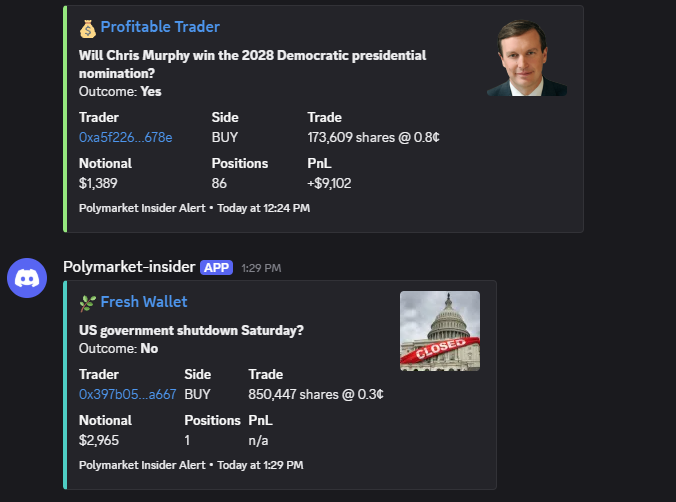
The Insiders channel alerts you when a new wallet or profitable traders make a sizeable trade on a low-probability outcome, highlighting potential informed or early positioning on unlikely events.
In Discord, type /set_insiders and select a channel.
If you'd like to set a custom role for insider pings, do /set_role, select the role and link it to the insiders channel.
Example Insider Alert:
New Market
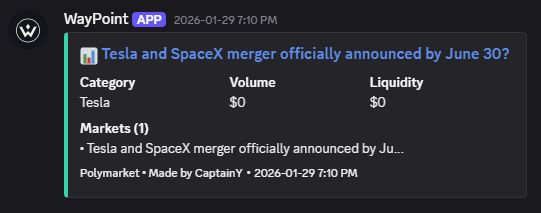
This channel alerts you the moment a new market is created on Polymarket, giving you early access to establish a position before liquidity and attention build.
In Discord, type /set_newmarket and select a channel.
If you'd like to set a custom role for insider pings, do /set_role, select the role and link it to the new markets channel.
Example New Market alert:
Pings
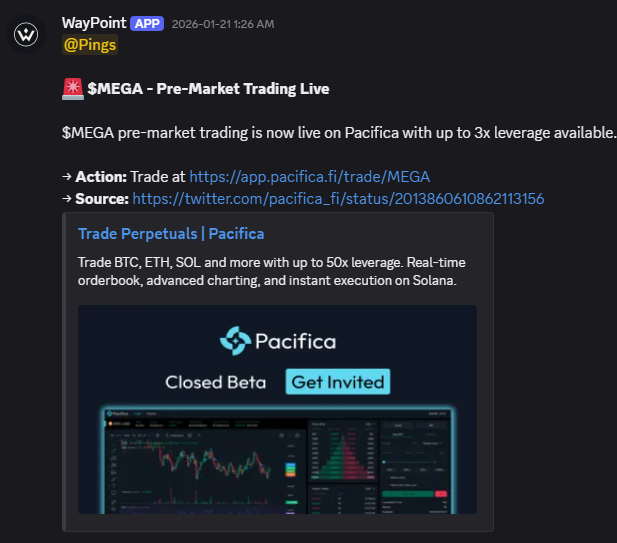
Get pinged for important events, deadlines, submissions, airdrops, whitelists, and more.
In Discord, type /set_pings and select a channel.
If you'd like to set a custom role for insider pings, do /set_role, select the role and link it to the pings channel.
Example pings:
Summary
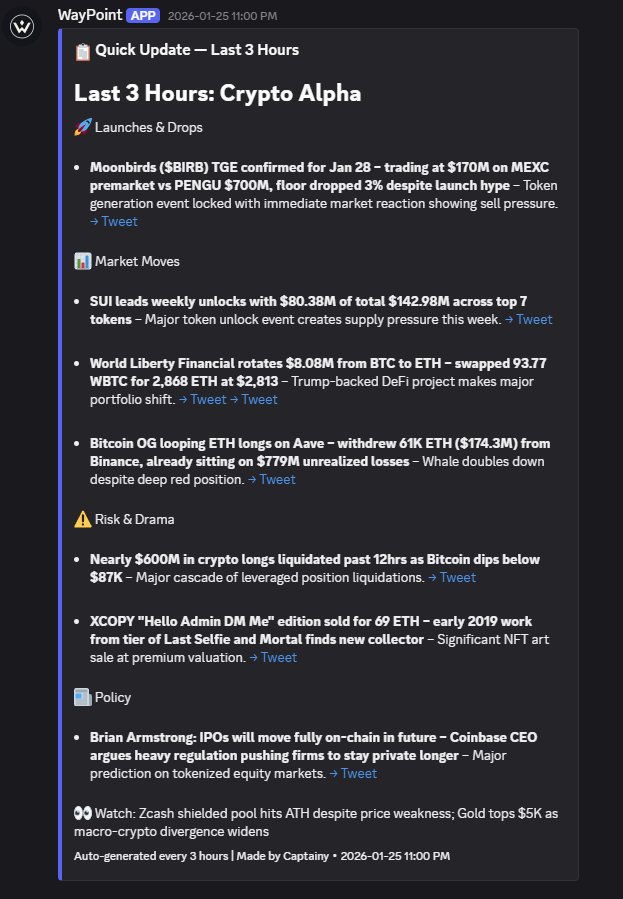
Get a concise overview of major news, key narratives, token launches, and market developments, updated every 3 hours.
In Discord, type /set_summary and select a channel.
If you'd like to set a custom role for insider pings, do /set_role, select the role and link it to the summary channel.
Example summary:
YouTube
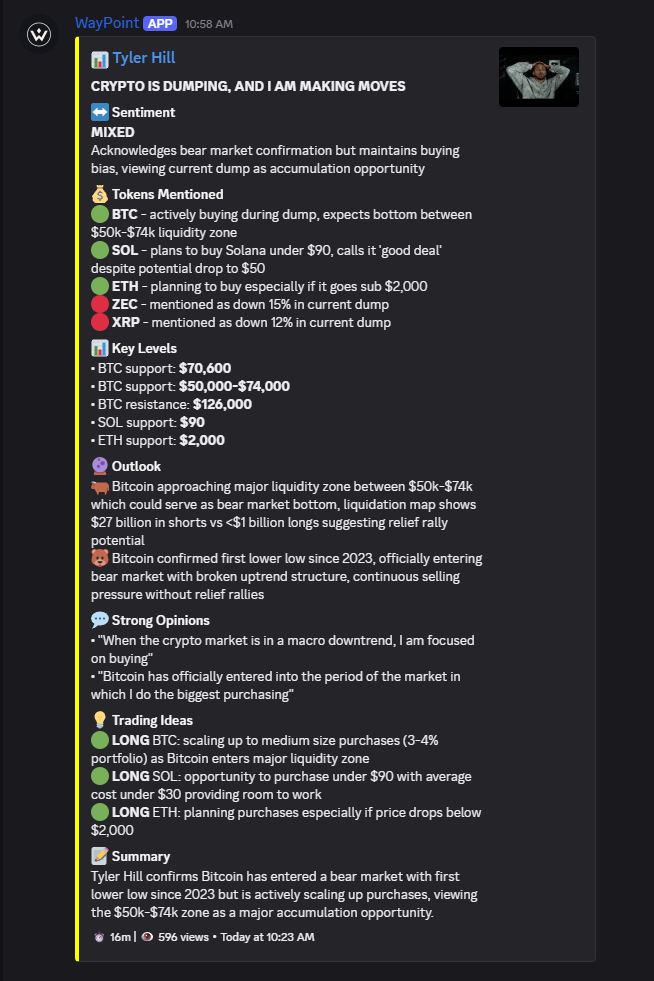
Alerts you when a market-focused creator publishes a new YouTube video. Each alert includes a concise breakdown: analysis summary, topics covered, tokens, stocks, or NFTs mentioned, sentiment, and any stated price targets.
In Discord, type /set_youtube and select a channel.
If you'd like to set a custom role for YouTube pings, do /set_role, select the role and link it to the YouTube channel.
Example YouTube Alert: